How-to
How to Clean Up AI Generated Guitar Tabs
AI guitar tabs are drafts. The useful skill is not expecting a perfect file on the first pass. It is knowing what to fix first so the part becomes playable under your hands.
 By the Tabtify teamUpdated September 1, 20267 min read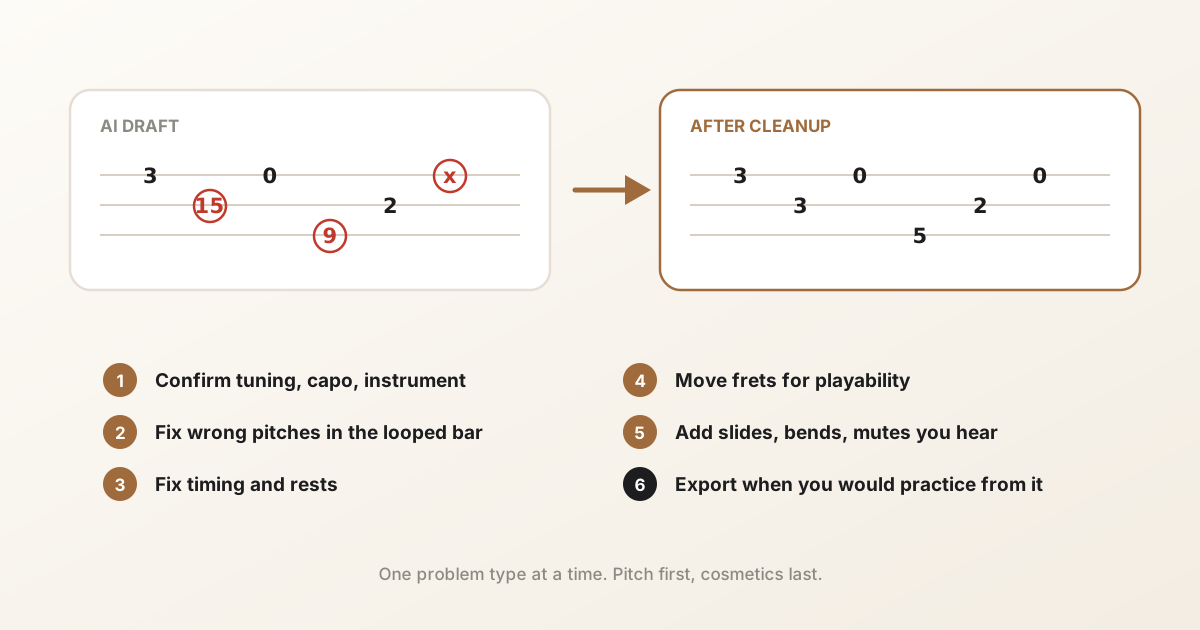
In short: A practical checklist for fixing AI guitar tab drafts: rhythm, fret positions, tuning, looping hard bars, and knowing when the source is the problem.
Start with a short, clean section
Convert 8 to 16 bars first when you can. A short clip is easier to hear against the source and easier to repair. Full mixes with drums and vocals create more false notes than a dry guitar take.
If the whole song is messy, cut a loop of the riff or solo you actually need. Fix that loop, then expand.
- Prefer solo guitar or a clear stem over a dense full mix.
- Mute unused strings in the room when you record a take.
- Set instrument, tuning, and capo before you convert when you know them.
Listen before you move frets
Play the draft with the source nearby. Loop the bar that feels wrong. Mark problems in this order: wrong pitch, wrong rhythm, awkward string choice, missing articulations.
Pitch and time errors waste more practice than a fretting that is only slightly uncomfortable. Fix those first.
Fix fret positions for your hand
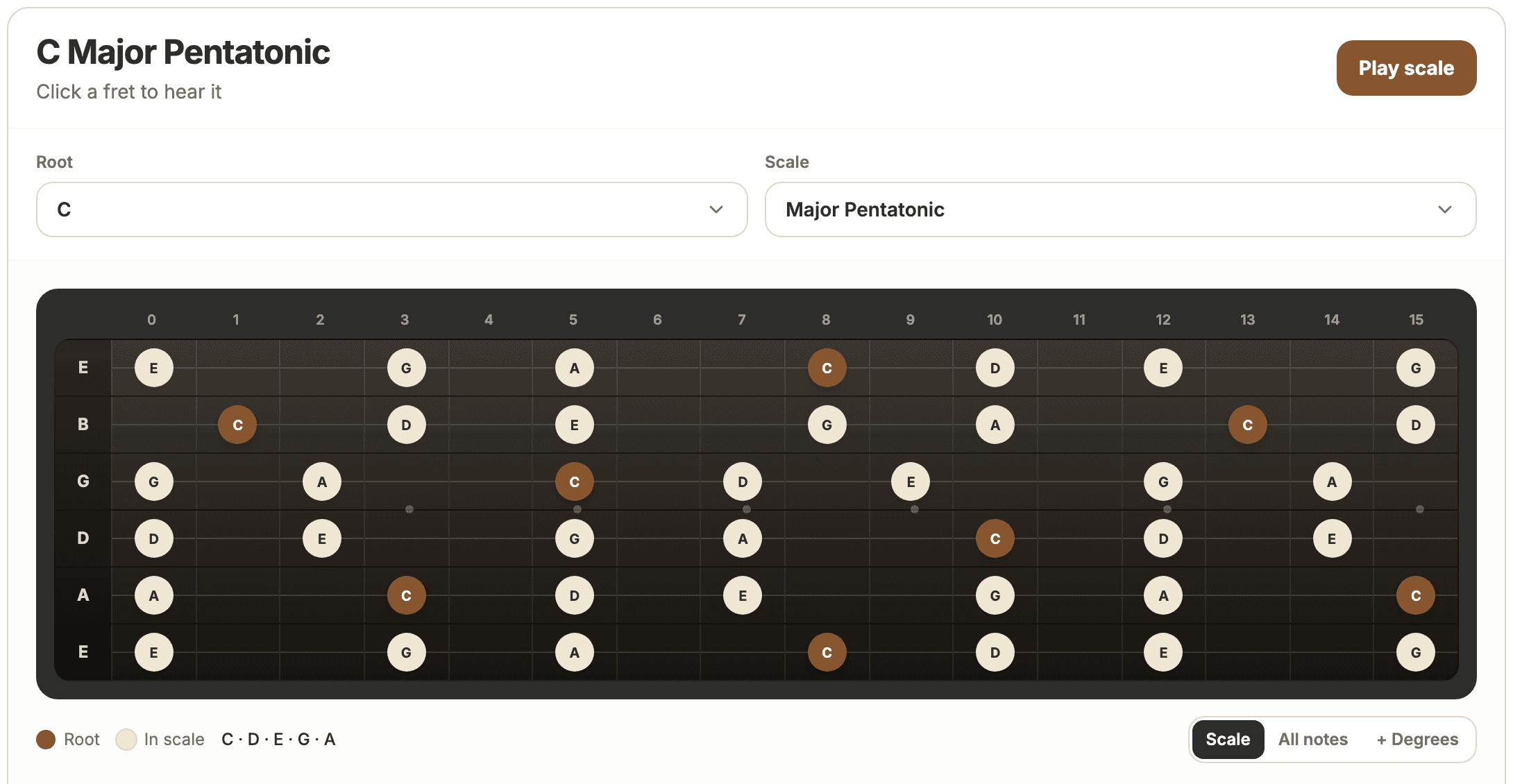
Two tabs can share the same pitches and feel totally different. Move notes to frets that match how you actually play the riff. Use a fretboard map if you need to see scale tones on the neck while you edit.
For bass and 7-string parts, confirm string count and tuning match the draft. A wrong low string will make every position look off.
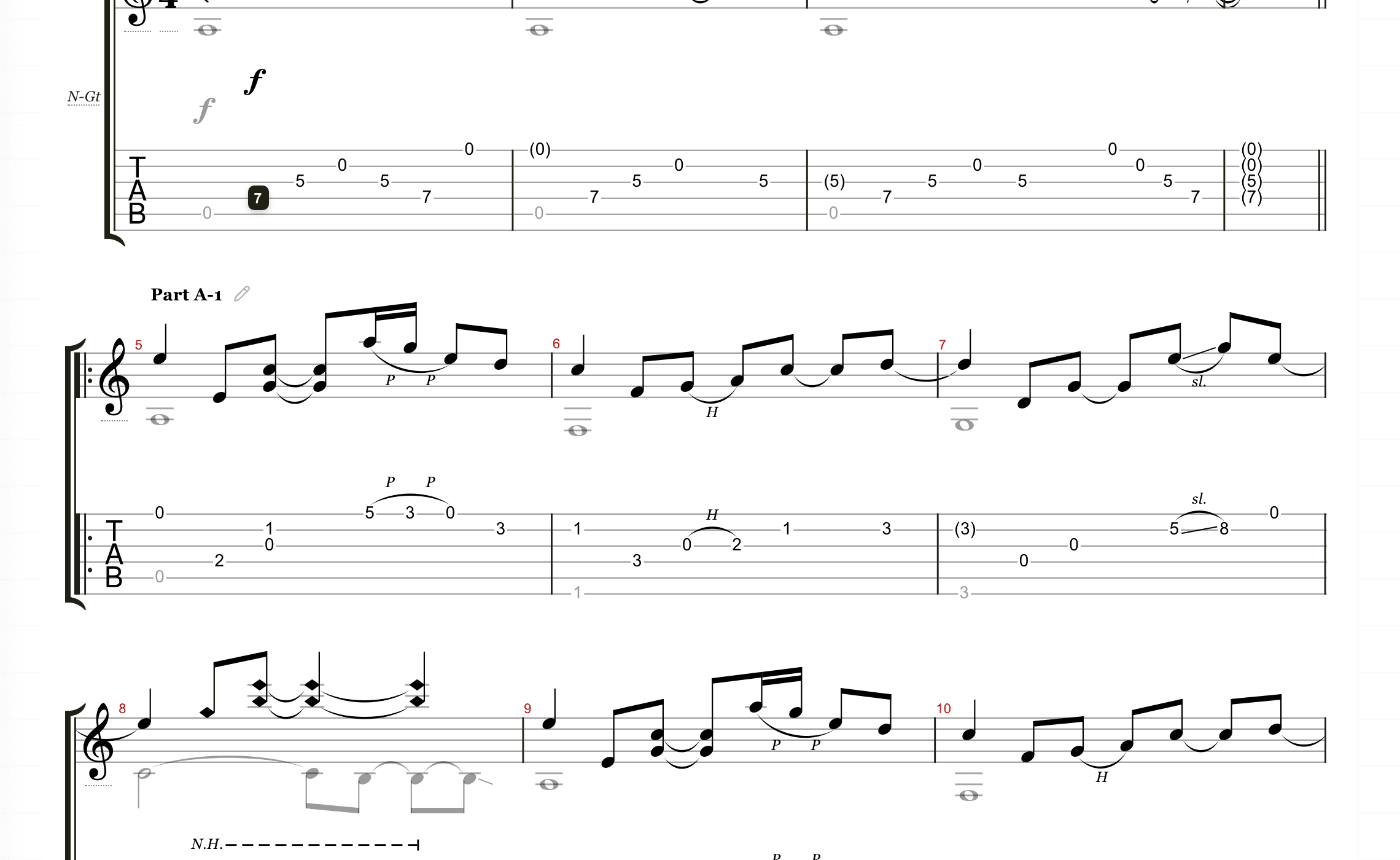
When the draft is too broken
If half the notes are wrong, re-convert with a better source instead of polishing a bad draft. Try a cleaner upload, a shorter section, or MIDI when you already have note data.
Keep the honest limit in mind: dense mixes and long full-band tracks still need human review. The 15 minute source cap also means long songs should be split.
The errors you will actually see
AI drafts fail in predictable ways, which makes cleanup faster once you know the list. Octave slips are the most common: the right note name on the wrong octave, easy to hear and quick to fix. Chords lose inner voices, so a five-string shape arrives as three notes. Rhythm lands a half beat off after a loose fill. And bleed from bass or vocals shows up as ghost notes that were never played on guitar.
Scan for these four before touching anything else. They account for most of the distance between the draft and the take.
A simple cleanup order
Work one problem type at a time. Jumping between pitch, rhythm, and cosmetics slows you down.
- 1. Confirm tuning, capo, and instrument match the source.
- 2. Fix wrong pitches in the looped bar.
- 3. Fix timing and rests.
- 4. Move frets for playability.
- 5. Add slides, bends, or mutes only where you hear them.
- 6. Export when you would actually practice from the file.
Common questions
Why is my AI guitar tab inaccurate?
Usually the source is hard: full mixes, noise, reverb, or multiple instruments. Cleaner mono guitar takes produce better drafts. Even then, fret positions and articulations need review.
Should I fix the whole song at once?
No. Clean a short loop until it feels right, then move on. Full-song cleanup in one pass is slower and easier to abandon.
What tools help during cleanup?
Use playback and looping in the tab editor, a fretboard for scale positions, and a chord finder when the part is harmonic rather than single-note.
How long should cleanup take?
For a riff or verse from a reasonable source, ten to twenty minutes is normal. If you are fighting every bar, stop and reconvert from a cleaner section instead of pushing through.
Have a recording of the part?
Upload it and get an editable tab draft you can check bar by bar against the original. Conversion is included with Pro.
Next steps
Try it on your own recording
Related guides
All guides