How-to
How to Make Guitar Tabs from a Song
Making a usable tab from a song is a workflow, not a single click. The fastest path is to isolate the part, choose the right instrument setup, generate a draft, and then clean it up.
 By the Tabtify teamUpdated September 30, 20269 min read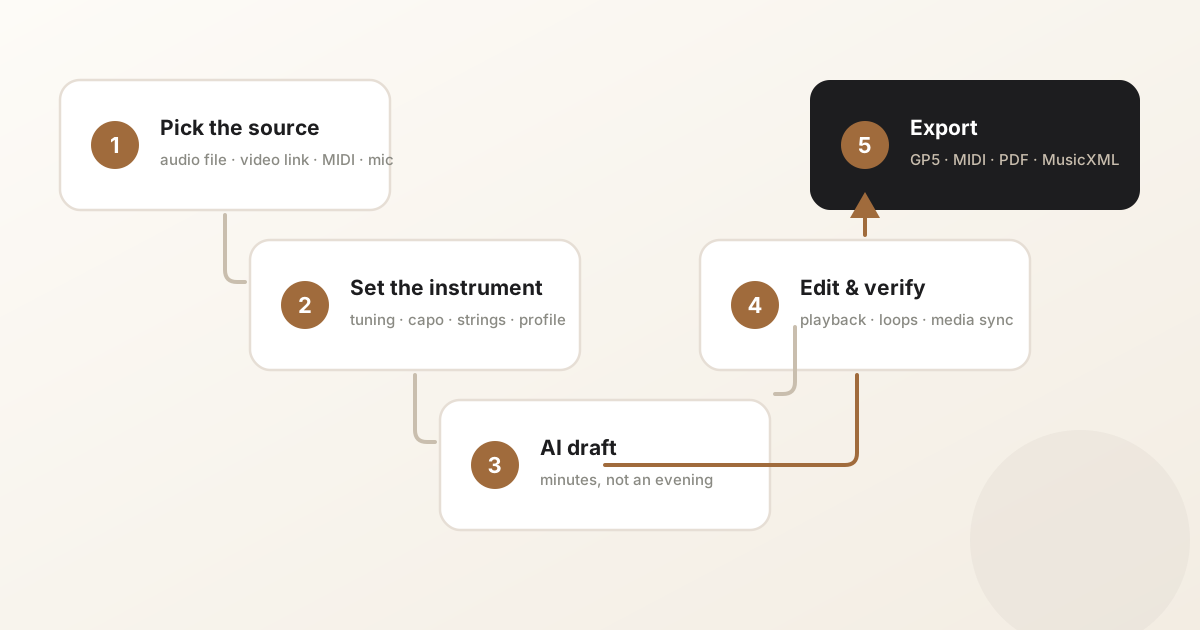
In short: Learn a practical workflow for turning a song, recording, or public media link into an editable guitar tab with AI and manual cleanup.
Choose the part before converting
A full song can contain multiple guitars, vocals, drums, bass, effects, and layered production. Decide whether you want the riff, solo, rhythm part, bass line, or fingerstyle arrangement before starting.
That choice gives the conversion a target. It also helps you judge the draft fairly, because a lead guitar tab and a simplified rhythm arrangement are very different outputs.
Use the cleanest available source
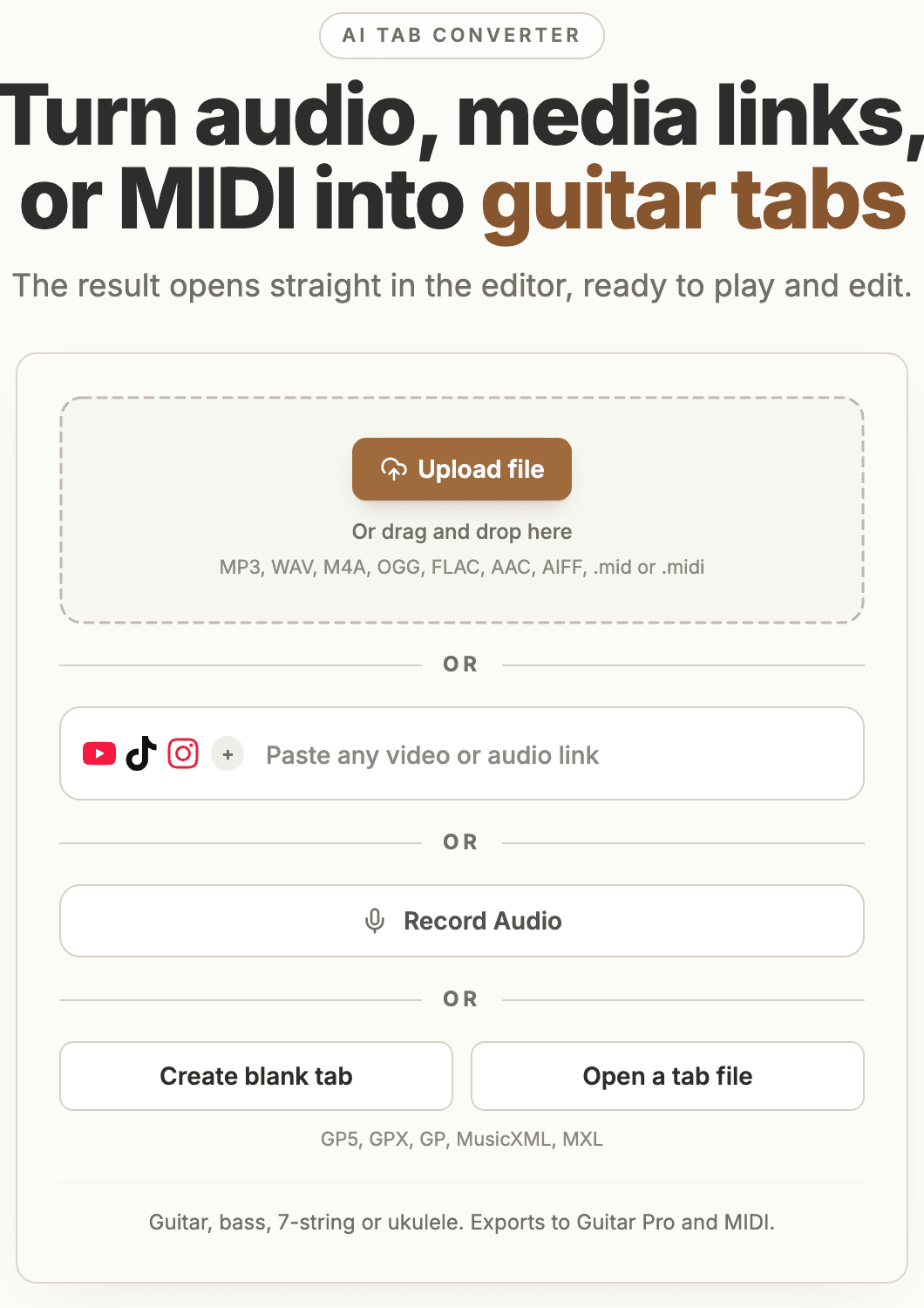
If you have a clean audio file, upload it. If the best source is a public media clip, paste the link and confirm that metadata loads.
Metadata is useful because it confirms the app can see the source before you spend time choosing the instrument setup.
Set the instrument before AI conversion
String count, tuning, and capo help map notes to your instrument. For guitar, you can also set a starting fret in Advanced. Listen back and refine chords, timing, and fret positions in the editor.
- For solos and melodic lines, choose a recording where each note is easy to hear.
- For chords and riffs, check the generated notes and rhythm against the recording.
- Choose the bass setup and 4, 5, or 6 strings; adjust tuning in Advanced if needed.
- Set capo and alternate tuning before conversion.
Review melody and chords in the editor
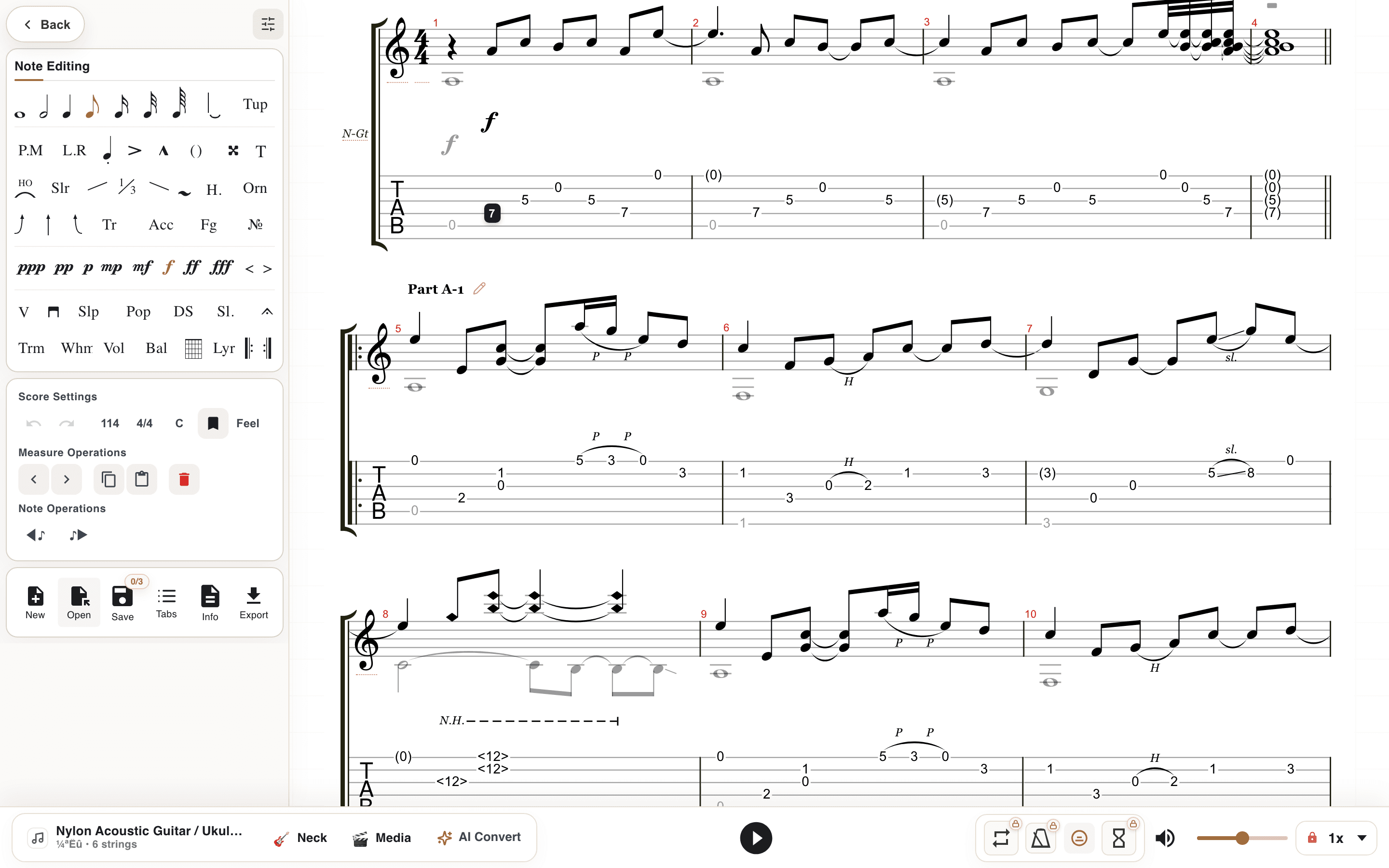
After conversion, listen to the melody and chord changes against the recording. Work on a short section, loop difficult bars, and correct notes or fret positions in the editor. This is especially useful when fingerstyle combines bass notes and a melody in the same bar.
Edit the generated draft
AI transcription is a starting point. After conversion, use playback, loops, media sync, and editing tools to fix timing, positions, repeated sections, and expressive details.
The goal is not to trust every generated note blindly. The goal is to skip the blank-page stage and spend your time on musical cleanup.
Export it and keep the file alive
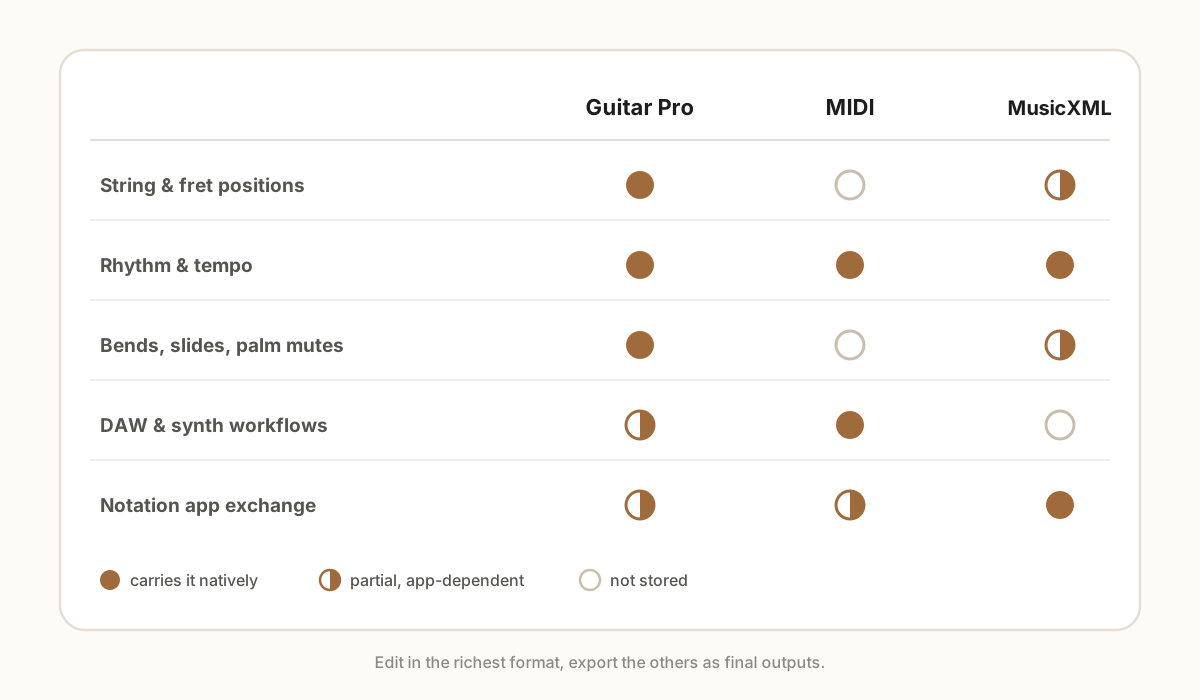
A finished tab that lives as a screenshot dies the first time you want to change a fingering. Export to a format that keeps the door open: GP5 if you or your students use Guitar Pro, MIDI if the part is headed for a DAW, PDF only for printing, MusicXML for notation apps.
Keep the editable original either way. Songs come back - you relearn them, teach them, or finally fix the bar you fudged. Six months later, the editable file answers in seconds; the PDF just sits there.
Common questions
Can I make tabs from any song?
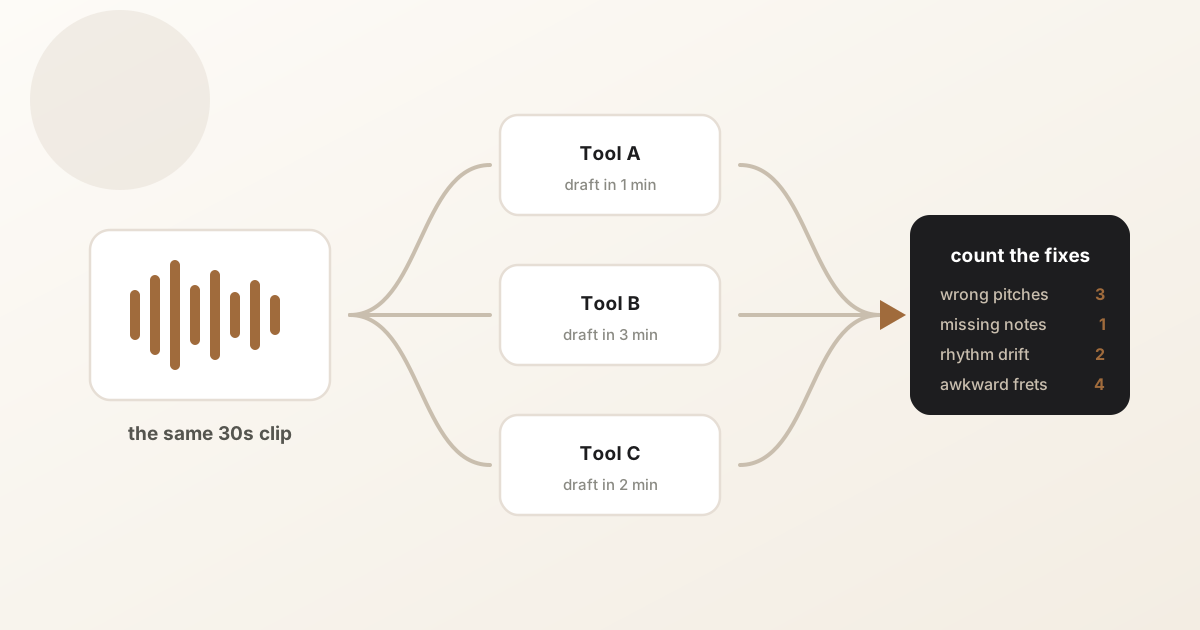
You can create a draft from many songs, but quality depends on source clarity, mix density, instrument setup, and how much cleanup you are willing to do.
Is it better to convert a full song or a section?
Sections are usually better. Start with the riff, solo, intro, or chorus you need, then expand if the draft looks useful.
Can I use a public media link as the source?
Yes, public media links can be used through the media workflow when metadata loads and the source is within product limits.
How long does the whole process take?
Conversion itself runs in minutes. Cleanup is the variable: a short riff might need five minutes in the editor, a full song section closer to twenty or thirty depending on how dense the mix was.
Have a recording of the part?
Upload it and get an editable tab draft you can check bar by bar against the original. Conversion is included with Pro.
Next steps
Try it on your own recording
Related guides
All guides