How-to
How to Use an Online Guitar Fretboard for Scales
An online guitar fretboard is a neck map in your browser. You pick a root and a scale, see the matching frets, and click notes to hear them. Used well, it turns theory into positions you can grab on a real guitar.
 By the Tabtify teamUpdated September 1, 20266 min read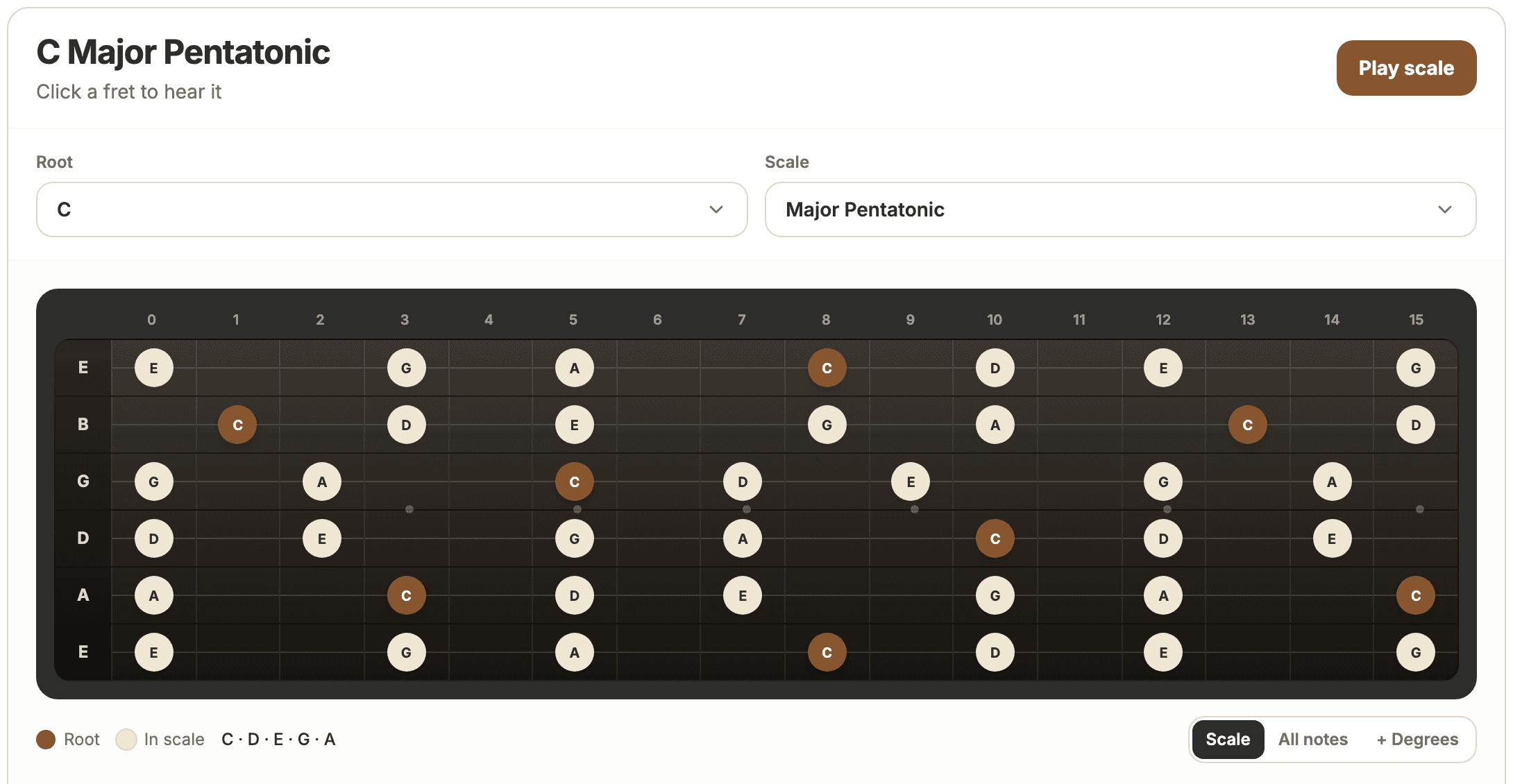
In short: Learn how to use a free online guitar fretboard to see scale notes, click frets, check positions, and connect the neck map to real tabs.
What the fretboard is for
Use it when you need positions, not when you need a finished song chart. It answers questions like where the notes of A minor pentatonic sit, or how a mode looks after you change the root.
It does not replace a tab of a specific riff. Pair it with a tab maker or converter when you already have a part to write down.
Pick root and scale first
Start with the musical question. Root C and major pentatonic is a different map from root A and natural minor. Change one control at a time so you can see what moved.
If you practice modes, keep the root fixed and switch Dorian, Mixolydian, and so on. That shows how each mode reshapes the same neck.
Read the markers
Highlighted frets are in the scale. Root notes are usually stronger in color. Note names on the dots should match how the key is spelled, so you see Eb in C Dorian rather than D# when the key calls for flats.
Fret numbers along the top are positions on the neck, not scale degrees. If the tool offers degrees, treat them as extras under the note names.
Click, listen, then grab it on the guitar
Click a highlighted fret and sing or play the same pitch on your instrument. Move horizontally for one string runs, or stay in a box across strings for position playing.
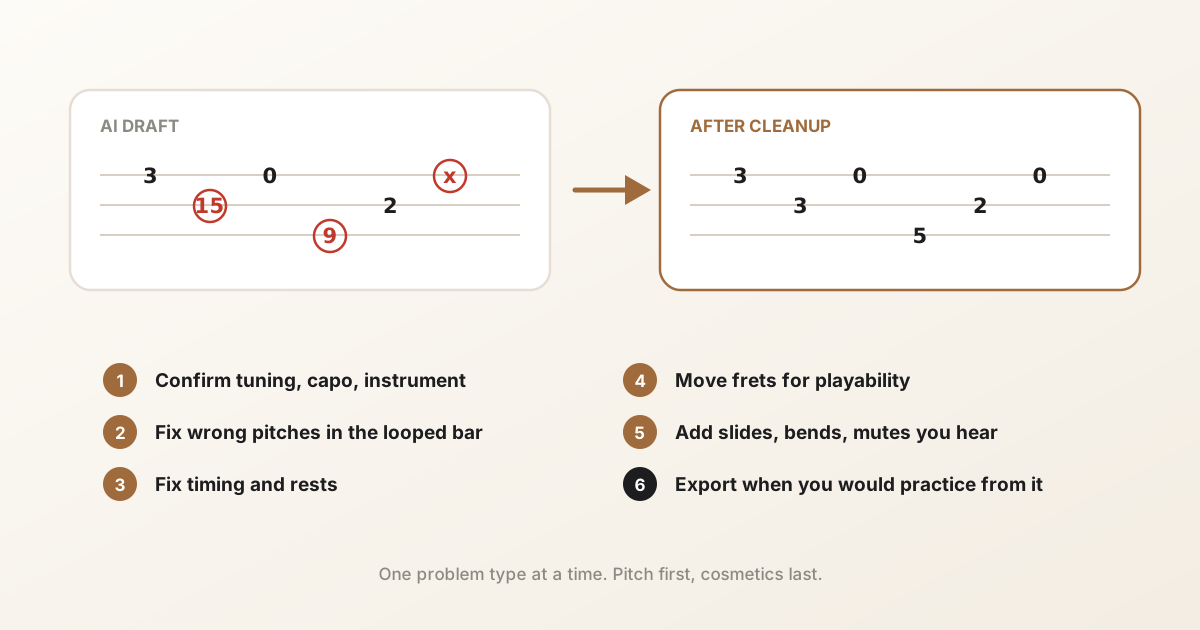
When a shape feels good, write it into a blank tab or compare it to an AI draft you are cleaning up.
Three short drills that stick
Knowledge from a diagram fades unless the hands get involved. First drill: pick one note, say G, and find it on every string using the map, then do it again on the guitar without looking. Second: walk one scale up a single string to hear the step pattern instead of memorizing a box. Third: play the same scale in two positions and link them mid-phrase, which is where most players get stuck.
Five minutes per drill is enough. The point is short, repeated contact between the diagram and the neck.
Common mistakes
People stall when they try to memorize the whole neck in one sitting. Learn one root and one scale across two or three positions first.
Another mistake is ignoring tuning. Drop D and standard do not share the same open-string map. Set the tuning before you trust the dots.
Common questions
Is an online guitar fretboard free to use?
Many browser fretboards, including Tabtify’s, work without an install or signup. You only need an account later if you save tabs or run AI conversion.
Can I see modes like Dorian and Mixolydian?
Yes on tools that include full mode lists. Pick the root, then switch the scale pattern to the mode you want.
Does a fretboard create tabs automatically?
No. It shows where notes live. You still write or convert the part into a tab file for practice and export.
Do I need to read music to use a fretboard tool?
No. It works in note names and fret positions, not notation. If you can count frets, you can use it.
Have a recording of the part?
Upload it and get an editable tab draft you can check bar by bar against the original. Conversion is included with Pro.
Next steps
Try it on your own recording
Related guides
All guides