Comparison
Best AI Guitar Tab Generators in 2026, Compared
The best AI guitar tab generator does more than detect notes. This comparison looks at the tools that actually rank in 2026 - Tabtify, Songscription, Klangio Guitar2Tabs, audio2guitar, and Songsterr - on the things that decide whether you finish with a playable tab: pricing model, free tier, source support, and what happens after the first draft.
 By the Tabtify teamUpdated October 5, 20269 min read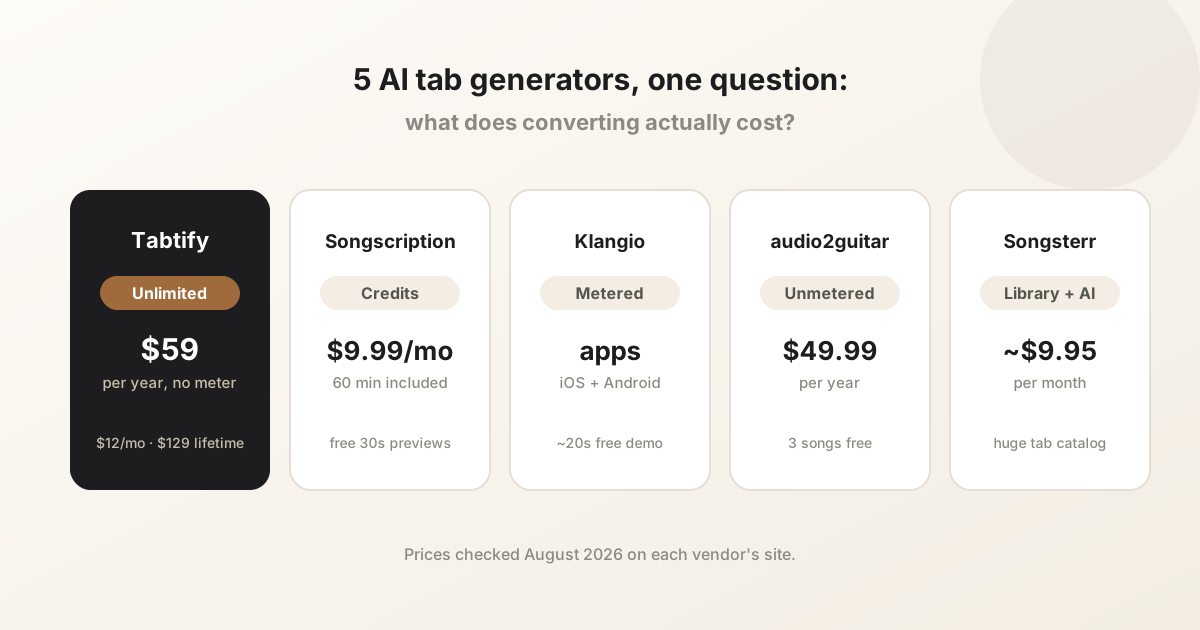
In short: Tabtify, Songscription, Klangio Guitar2Tabs, audio2guitar, and Songsterr compared on pricing, free tiers, credits versus unlimited conversion, and editing workflow.
What makes a guitar tab generator useful
A useful AI tab tool should help before and after transcription. Setup matters because the same notes can be mapped to awkward or playable fret positions depending on tuning, capo, string count, and instrument type.
The difference shows up after the first draft. If you can slow the part down, compare it to the source, move notes between strings, and export a file you can keep editing, the tool is doing more than note detection.
- Source support for audio files, MIDI, public media links, and recordings.
- Instrument setup for acoustic, electric, 7-string, bass, and ukulele.
- An editor for correcting rhythm, notes, measures, and fret positions.
- Playback, looping, and media sync so the result can be checked against the source.
- Export paths such as Guitar Pro, GP5, MIDI, PDF, or MusicXML where available.
The 2026 field, tool by tool
Prices and free tiers below were checked against each vendor's own site in August 2026 and can change. The short version: every tool in this list can produce a usable first draft from clean audio. They differ on how they charge, how much you can convert, and how much control you get after the draft.
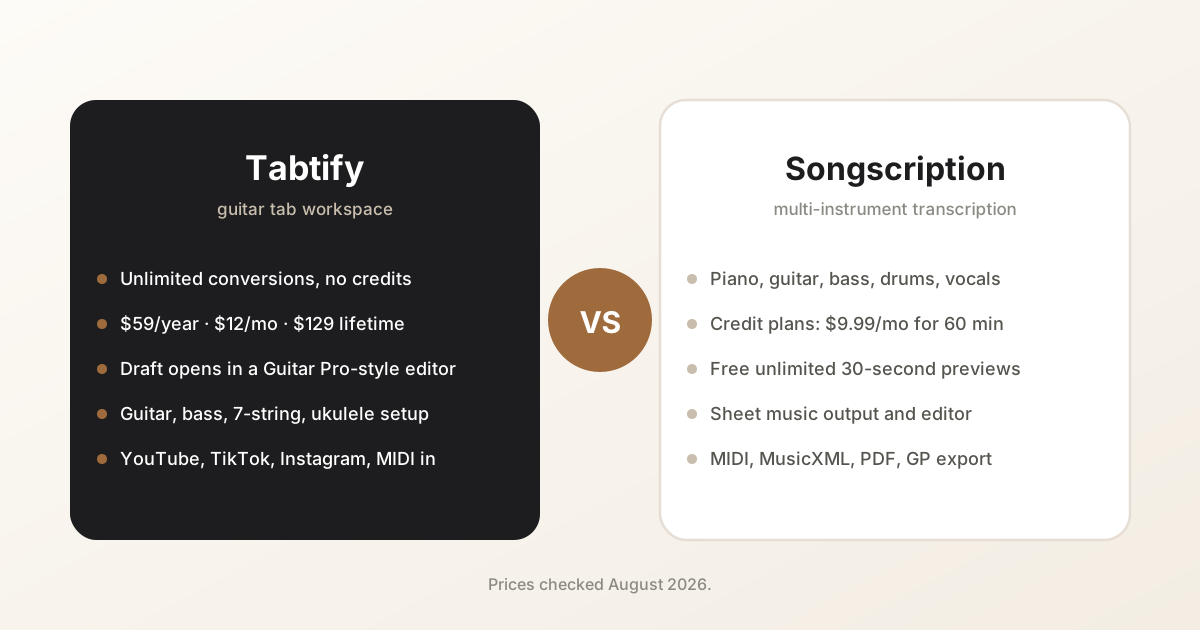
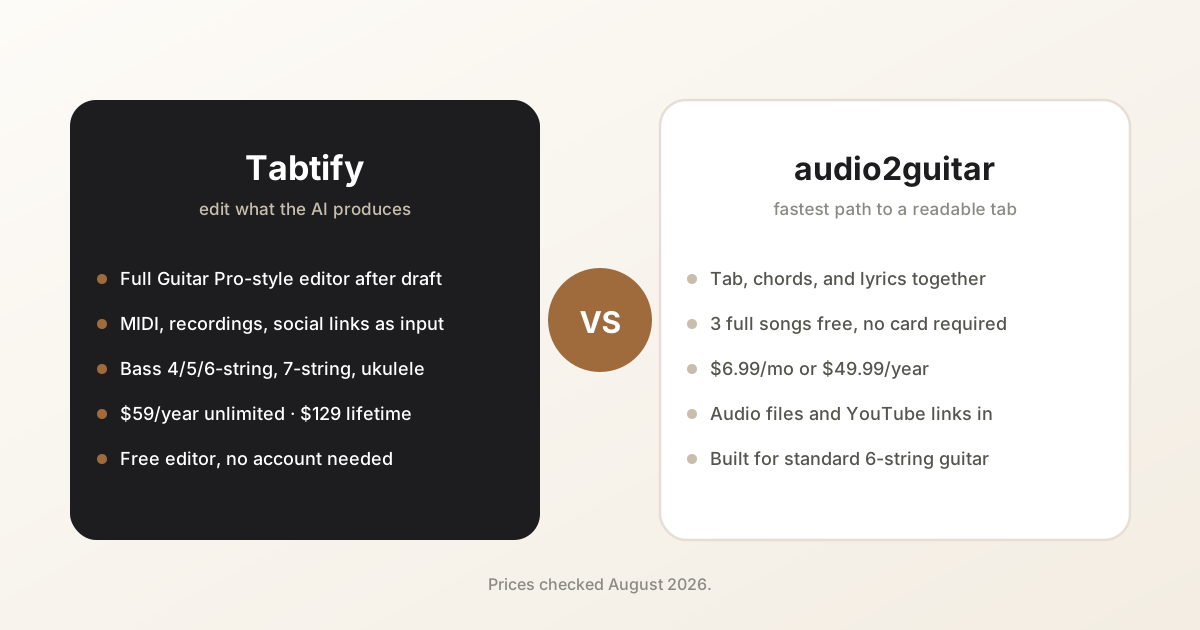
- Tabtify - unlimited AI conversions on every paid plan: $59/year (about $4.9/month), $15 month-to-month, or $129 lifetime. No credit system and no monthly minute cap, up to 15 minutes per track. Converts audio, MIDI, recordings, and YouTube, TikTok, Instagram, and Pinterest links, and every draft opens in a full Guitar Pro-style editor. No free AI tier; paid plans carry a 7-day money-back guarantee, and the tab editor itself is free.
- Songscription - the broadest instrument coverage in the group (piano, guitar, bass, drums, and more) and a genuinely free tier of unlimited 30-second previews. Paid plans are metered by credits: Plus at $9.99/month covers 60 minutes of transcription, Pro at $29.99/month covers 300 minutes, both capped at 15 minutes per file.
- Klangio Guitar2Tabs - fast guitar and bass transcription with iOS and Android apps and PDF, MIDI, MusicXML, and Guitar Pro export. The free demo stops at roughly 20 seconds.
- audio2guitar - guitar-focused conversion that returns tabs, chords, and lyrics together. Three full free songs (MP3) with no card required, then Pro at $8.99/month or $59.99/year, or $9.99 for 10 songs without a subscription (checked October 2026).
- Songsterr - AI generation layered on a very large existing tab library, so check whether the song is already tabbed before converting. AI is available on the free tier with limits; the Plus plan is reported around $9.95/month with a monthly cap on AI tabs.
Credits versus unlimited: the pricing math
Most tools in this space meter usage with credits or minutes, so the advertised price is only half the picture - the other half is how much converting you actually do.
At Songscription's rates, 60 minutes of transcription costs $9.99 and 300 minutes costs $29.99 a month. If you transcribe a handful of songs each month, that metering never bites. If you work through cover sets, teach, or convert AI-generated songs in batches, the meter is the price.
Tabtify prices the other way around: $59/year with no meter at all, so the per-song cost falls the more you convert. And if you only transcribe occasionally, audio2guitar's $9.99 pack of 10 songs skips the subscription entirely, an honest trade-off worth naming.
- Occasional use (a song or two a month): audio2guitar's free 3 songs or Songscription's free previews may be all you need.
- Steady use (an album's worth a month): a 60-minute credit plan covers it, but an unlimited $59/year plan already costs less than $9.99/month over a year.
- Heavy use (teaching, cover sets, AI-song batches): unlimited is the only model where the bill does not scale with your practice.
Why guitar-specific workflow beats generic transcription
Generic transcription can produce notes, but guitar tabs need string and fret decisions. A guitar-focused workflow gives the model and the user more musical constraints, which makes the first draft easier to repair.
This matters most for riffs, solos, bass lines, and alternate tunings. Two tabs can contain the same pitches, but only one may feel natural under the hand.
Where Tabtify fits
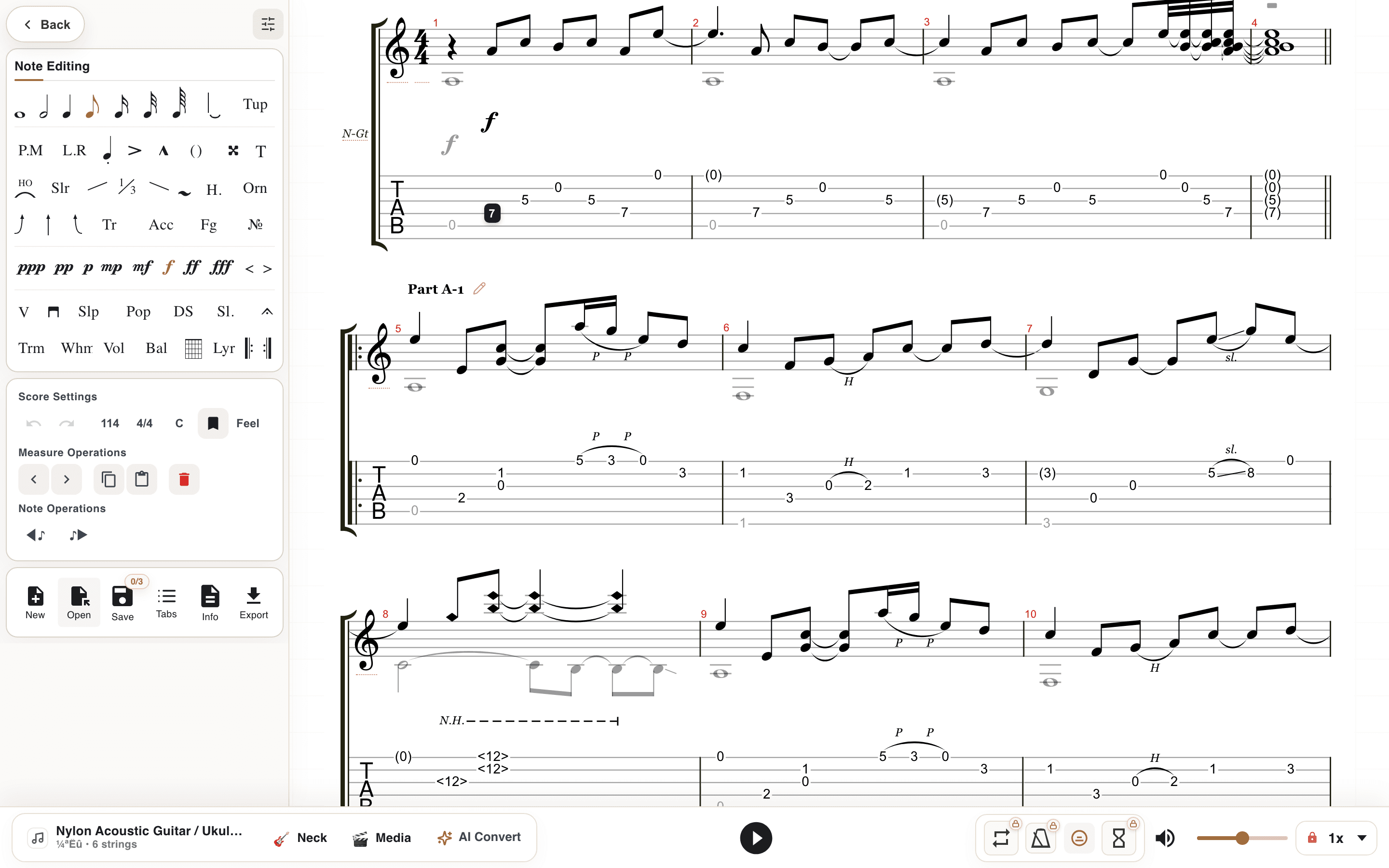
Tabtify is strongest when the goal is an editable guitar or bass tab rather than a static score. It combines source import, instrument-aware setup, playback, media sync, and an editor so users can turn the AI draft into something they can actually practice.
The practical workflow is simple: get a draft quickly, listen against the source, fix the parts that matter, then save or export the result.
What accuracy actually looks like
No tool converts a full mix perfectly, so it helps to know what a good result is. From a clean, single-guitar recording, a strong generator lands most pitches and the overall rhythm, and cleanup means nudging a few positions. From a dense mix, expect missed inner notes, octave slips, and the odd phantom note pulled from the bass or vocal.
The source decides more than the model. A DAW bounce of the guitar stem will beat a phone recording of the same part every time, and both will beat a full master with drums and vocals over the top.
- Isolated guitar stem: near-complete draft, minor position fixes.
- Clean solo recording: solid draft, a few rhythm corrections.
- Full mix: usable starting point, plan on real cleanup.
- Dense mixes can need more manual correction in the editor; a clearer recording makes the first draft easier to review.
How to choose the right tool
Use a broad sheet music tool if you need notation for many orchestral instruments. Use a guitar tab workspace when your output needs to be playable tablature with Guitar Pro style editing.
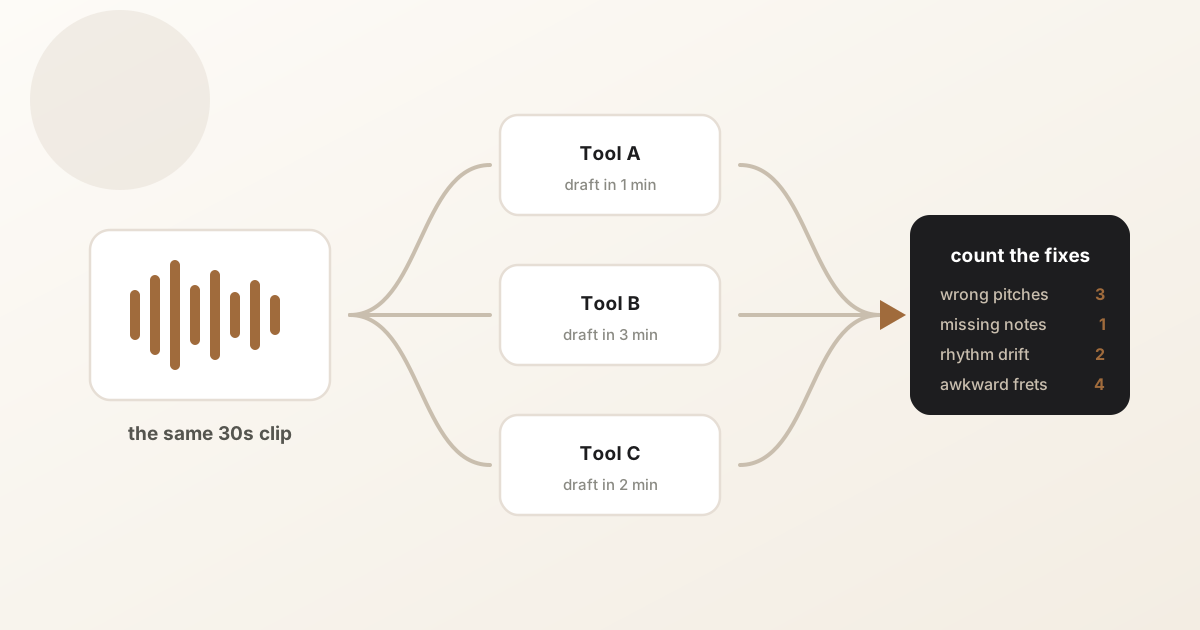
A good test is to convert the same short clip in each tool and ask which result you would actually practice from after ten minutes of cleanup.
- For riffs and short clips, choose a workflow that starts with metadata preview and quick setup.
- For full songs, convert shorter sections first and clean them up in an editor.
- For bass, choose a tool that supports 4-string, 5-string, and 6-string setups.
Common questions
Can AI create accurate guitar tabs?
AI can create a strong first draft, especially from clean sources, but guitar tabs still need human review for positions, rhythm, articulations, and playability.
Is audio-to-tab better than MIDI-to-tab?
MIDI is cleaner when you already have a MIDI arrangement. Audio is better when your source is a recording, public media clip, riff, or cover.
What should I look for in an AI guitar tab generator?
Look for source support, instrument setup, editable output, playback, export options, and a workflow that lets you correct the generated tab.
How long does AI transcription take?
Processing time depends on source length and complexity. Short clips usually finish faster; longer recordings take more time. Sources can be up to 15 minutes long.
Which AI guitar tab generator is free?
Fully free, none - every tool meters or gates its AI. audio2guitar gives 3 full songs free, Songscription gives unlimited 30-second previews, Klangio and Songsterr offer limited demos. Tabtify has no free AI tier; instead its editor is free without limits and paid plans convert full-length songs from the first track with a 7-day money-back guarantee.
Is a 30-second free preview enough to judge a tool?
It shows note accuracy on a riff, but not how the tool handles song structure, chord changes, or longer arrangements. Converting one full song - via a free full-song tier or a refundable paid plan - tells you far more than a preview.
Have a recording of the part?
Upload it and get an editable tab draft you can check bar by bar against the original. Conversion is included with Pro.
Next steps
Try it on your own recording
Related guides
All guides